
This raises an important question:
If trust operates throughout a business workflow, how do we make it visible?
The answer begins with the Trust Mapping Framework.
Why mapping trust matters
Salesforce business workflows rarely involve a single user interacting with a single application.
A typical workflow may include employees, customers, AI agents, automations, integrations, APIs, external platforms, and multiple sources of information working together to achieve a business objective. Each participant relies on others to behave as expected, exchanges information through trusted mechanisms, performs actions, and contributes to outcomes that often become trusted inputs for subsequent work.
As organizations adopt Agentforce, Headless 360, MCP, and increasingly connected Salesforce ecosystems, these relationships continue to grow in both number and complexity.
Organizations commonly understand different parts of their environments through architecture diagrams, identity platforms, integration documentation, and security tools. Each provides an important perspective, but those views do not necessarily make the reliance between components explicit at the workflow level.
The Trust Mapping Framework starts from that gap. Its purpose is not to catalog technology, but to make trust visible.
The Trusting Mapping Framework
Every Trust Mapping exercise begins with a business workflow. Rather than starting with individual technologies such as OAuth, APIs, Agentforce or MCP, it starts with a simpler question:
How is work performed?
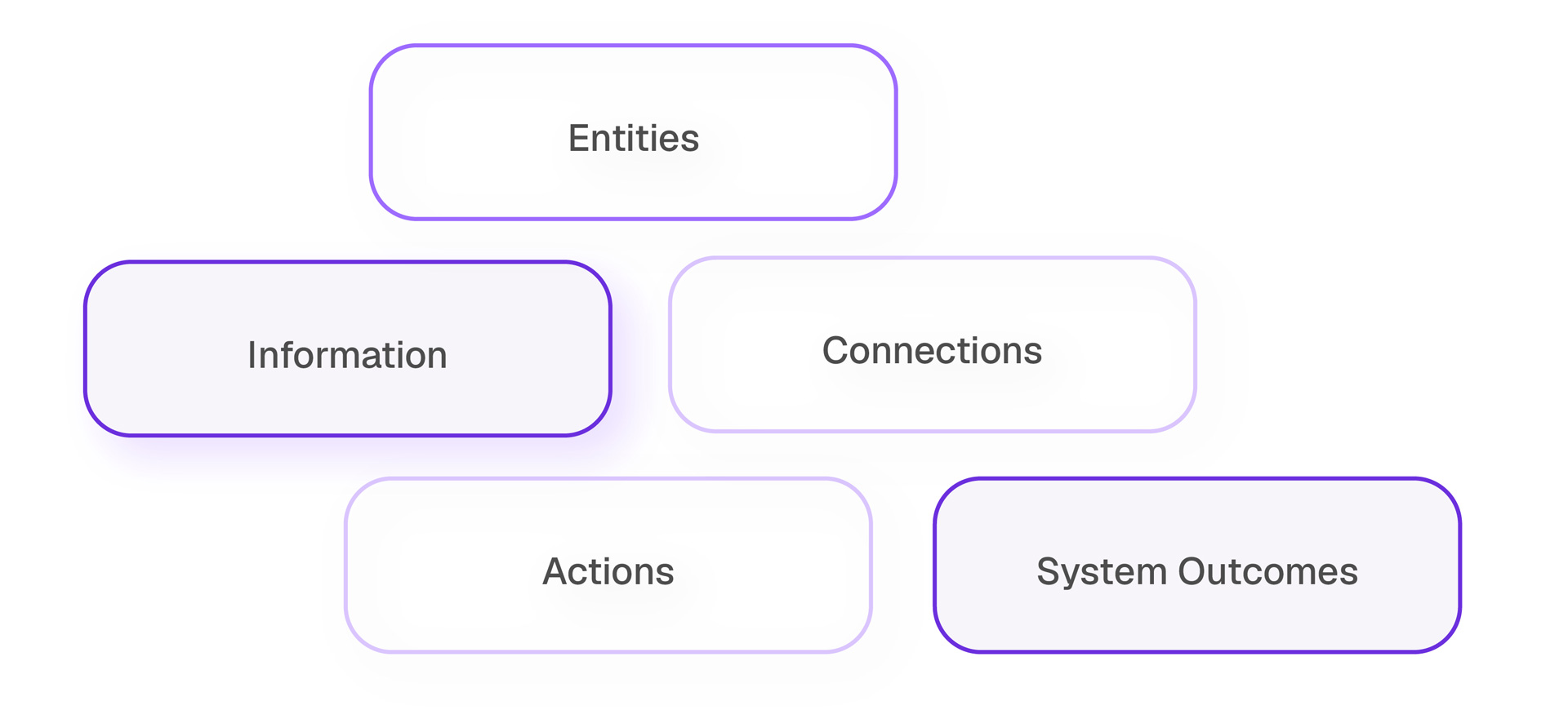
Once the workflow has been identified, it is examined through five complementary trust domains. Together, they provide different views of the workflow that help reveal where meaningful reliance exists.
The five trust domains are:
- Entities – Who or what participates in the workflow?
- Information – What information is relied upon?
- Connections – How is trust established or extended?
- Actions – How is trust exercised?
- System Outcomes – What results does the workflow produce?
1. Entities
Who or what participates in the workflow?
The Entities domain looks at the human and non-human participants involved in the workflow. They may provide or consume information, make decisions, perform actions, enable interactions, or otherwise influence how the workflow operates.
They may include:
- Salesforce users
- AI agents
- Automations
- Service accounts
- Connected applications
- Third-party services
- Vendors
- Customers
Modern workflows rarely rely only on human users. Agents, automations, external services, and connected platforms can all become participants that the workflow depends on, which is why the Entities domain deliberately includes both human and non-human participants.
2. Information
What information is relied upon?
Every business workflow depends on information to make decisions, perform work, or produce outcomes.
Customer records, opportunities, support cases, knowledge articles, prompts, AI-generated summaries, metadata, and reports all influence the decisions made throughout a workflow.
The important question is not simply what data exists, but what information people and systems actually rely upon. A customer record may shape an agent’s recommendation, a knowledge article may influence a support response, and an AI-generated summary may become input to a later decision.
That makes context as important as accuracy. Information can be technically correct yet inappropriate for a particular use, while customer-submitted or AI-generated content may become influential simply because another part of the workflow treats it as trustworthy.
3. Connections
How is trust established or extended?
As discussed in the previous article, trust can extend beyond the relationship in which it was originally established. Connections represent the technical or organizational pathways through which those trust relationships are established or extended.
Examples include:
- OAuth
- APIs
- MCP
- Agentforce
- Named Credentials
- Partner relationships
- Delegated administration
- Webhooks
An OAuth authorization is more than a technical integration, just as a partner relationship or delegated administration is more than an organizational arrangement. Each can provide a pathway through which information, authority and trust extend between participants and the resources they rely on.
4. Actions
How is trust exercised?
Actions are the behaviors performed within the workflow. They show how trust is exercised as people, systems, agents, and automations retrieve information, make decisions, update records, trigger processes, or otherwise carry out work.
Examples include:
- Approving a customer request
- Retrieving customer information
- Generating an AI recommendation
- Synchronizing records with another platform
- Triggering an automated workflow
Identifying these behaviors shows where trust directly influences business operations. Each action may exercise one or more trust relationships and reveal whether the assumptions supporting them still hold.
5. System outcomes
What results does the workflow produce?
Business workflows produce both immediate outcomes, such as resolving a support case, approving a contract or notifying a customer, and outputs that become trusted inputs for further work. An AI-generated recommendation may influence a decision, an updated CRM record may trigger another automation, and a generated summary may form the basis of a customer response.
Keeping outcomes separate from actions matters because successful execution does not guarantee the intended business result. A workflow can operate exactly as designed and still produce an incorrect, misleading, or harmful outcome.
Understanding trust through the Five Domains
The value of the five domains is not in completing five categories. It is in using different perspectives to reveal reliance that might otherwise remain implicit. Once those relationships become visible, the conversation can move beyond inventories of technologies, access, and permissions to asking what the workflow actually relies upon, why that reliance exists, what assumptions support it, and what happens if those assumptions change.
A framework, not another security control
Trust Mapping does not replace existing security, governance, or architectural practices. It complements them by adding a workflow-level view of the reliance and assumptions connecting the people, systems, information, and services involved.
The framework is intentionally technology-agnostic. Whether a workflow involves Salesforce, Agentforce, APIs, MCP, third-party applications, or future technologies, the same domains can be applied because they focus on trust relationships rather than specific products or protocols.
Looking ahead
Understanding the framework is only the beginning.
The next step is applying the framework to real workflows. In the next article, we introduce Trust Mapping Discovery and show how the five domains can be used to identify trust relationships and surface the assumptions that support them.