📈 Read the 2026 Salesforce Threat Landscape Report

Cloud Protection for Salesforce by WithSecure™
  • Home
  • Product
    • Product overviewLearn how WithSecure protects your Salesforce from advanced cyber threats.
    • File protectionDefend your organization against malware and ransomware attacks.
    • URL protectionPrevent phishing and malicious URL attacks with real-time protection.
    • Identity ProtectionDetect compromised users before attackers.
    • Protection for AgentforceSecure Agentforce workflows in real-time from phishing and malware.
    • Analytics and visibilityGet comprehensive real-time visibility into security events.
    • QR code protectionIdentify and block QR codes leading to phishing sites.
    • Content filteringBlock unwanted files and URLs.
    • All featuresExplore product features in detail.
  • Solutions
  • Success Stories
  • Pricing
  • Resources
    • SupportHow to install, configure and troubleshoot the product.
    • Events & webinars4 upcomingWhere are we headed next? See our upcoming schedule.
    • ComplianceSee what certifications we have and how we comply with regulations.
    • BlogGet the latest product updates and Salesforce security insights.
    • DatasheetsAccess our datasheets, solution overviews and other collaterals.
    • For partnersLet’s deliver more value to Salesforce customers – together.
    • Risk assessmentGet your free Salesforce content risk assessment.
    • About usLearn who we are, why we do what we do and how it all started.
    • Legal and privacyReview the legal and privacy documentation here.
  • Contact sales
  • Get a demoClaim your free 15-day trial
  • English
    • English
    • 日本語 (Japanese)
  • Contact sales
  • Get a demoClaim your free 15-day trial
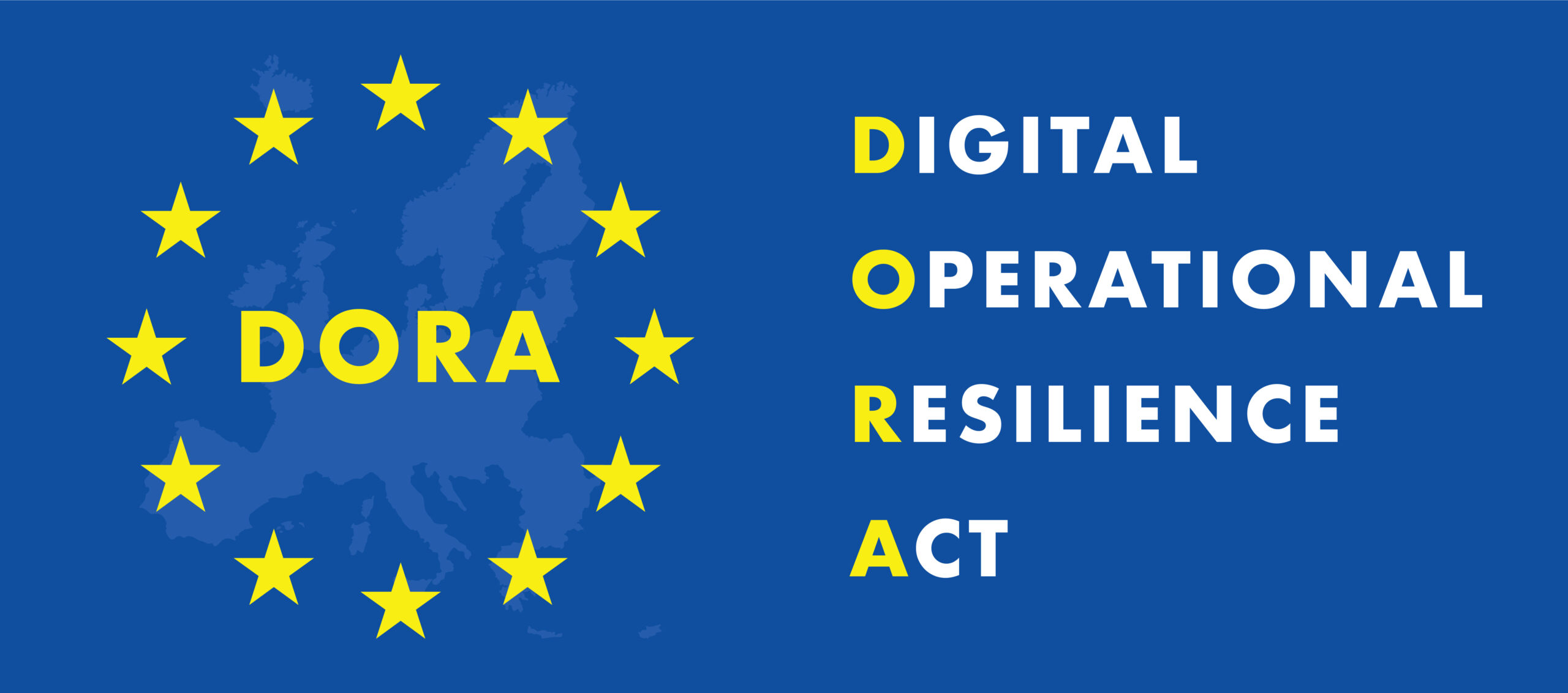
  • Is your Salesforce DORA compliant?

    What is DORA?

    The Digital Operational Resilience Act (DORA) is a European Union regulation crafted to boost the operational resilience of financial institutions. It ensures they can withstand, respond to, and recover from ICT-related disruptions, including cyberattacks. It mandates rules for ICT risk management, incident reporting, resilience testing and third-party risk management (TPRM). The regulation came into force in January 2025.

    DORA aims to ensure EU financial institutions can effectively manage and mitigate ICT risks, diminish the impact of cyber threats, and sustain business continuity during disruptions.

    Who does DORA apply to?

    DORA applies to the majority of financial institutions operating in the EU. It covers a broad spectrum of financial entities, such as banks, investment firms, payment service providers, insurance companies, and ICT third-party providers like cloud services that support financial institutions.

    DORA’s ICT risk management framework mandates that a firm’s management body bears ultimate responsibility for managing ICT risks, setting and approving the digital operational resilience strategy, and approving policies related to the use of ICT Third Party Providers (TPPs), among other duties.

    How has DORA changed regulatory compliance?

    There have been previous guidelines similar to DORA, such as 2019 EBA Guidelines on ICT Security and Risk Management and the 2020 EIOPA Guidelines on ICT Security and Governance. However, as DORA is primary legislation, the level of supervisory scrutiny that firms are subject to is now increasing significantly.

    Key requirements for financial entities:

    • ICT risk management: Financial entities must develop robust governance and control frameworks to manage ICT risks. This includes risk identification, protection measures, system monitoring, and incident recovery.
    • Incident reporting: Entities are required to report significant ICT-related incidents to authorities to enhance oversight and facilitate a coordinated sector response.
    • Testing and audits: Regular testing, including penetration tests and security audits, is mandatory to identify and address vulnerabilities.
    • Third-party risk management: Financial institutions must ensure that third-party ICT providers adhere to equivalent standards, including conducting thorough due diligence for outsourcing critical functions.

    DORA compliance and Salesforce security

    DORA mandates comprehensive oversight across critical business areas, focusing on firm management’s accountability for ICT risks. It includes crafting a digital operational resilience strategy and managing ICT Third Party Providers (TPPs). Breaches could lead to penalties enforced by competent authorities.

    Salesforce is a cloud-based platform that is critical to many financial organizations and their operations. The financial entity will need to ensure that their use of Salesforce complies with DORA’s requirements regarding ICT risk management, third-party oversight, incident reporting, and testing.

    As a leading CRM provider, Salesforce has already taken steps to ensure that the platform’s data governance aligns with DORA – along with other data protection regulations.

    Collaboration with partners like WithSecure™ is part of Salesforce’s commitment to trust and security according to Natalie Pope, Lead Solutions Engineer at Salesforce: “DORA is an important step in elevating our offerings to financial services customers, ensuring data and operational resilience are at the forefront their business goals and company ethos. Our collaboration with partners like WithSecure™ demonstrate Salesforce’s commitment to our number one value of trust, allowing us to offer robust and compliant solutions as part of a trusted digital infrastructure.”

    Key actions to secure your Salesforce and comply with DORA

    DORA places obligations on financial institutions to manage risks from ICT providers, including SaaS platforms like Salesforce. When it comes to Salesforce security and risk management, financial institutions should take action in the following areas:

    • Set up ongoing auditing practices to continually assess security risk related to Salesforce and other services connected to it. Implement proper security measures to remediate any gaps.
    • Develop and refine incident management strategies to ensure prompt detection, reporting and resolution of issues. Implement security measures directly for Salesforce that support your strategy.
    • Review and update contracts with ICT providers to meet DORA standards.

    How can WithSecure™ Cloud Protection for Salesforce help?

    WithSecure™ Cloud Protection for Salesforce stops malware and phishing threats on Salesforce in real-time. Our solution supports DORA requirements in areas such as:

    The DORA mandate for incident reporting: “Financial entities shall report major ICT-related incidents to the relevant competent authority”, “Financial entities shall produce, after collecting and analysing all relevant information, the initial notification and reports referred to in paragraph 4 of this Article using the templates referred to in Article 20 and submit them to the competent authority. In the event that a technical impossibility prevents the submission of the initial notification using the template, financial entities shall notify the competent authority about it via alternative means.” (Chapter 19, Article 1)

    The DORA mandate for detection capabilities: “Financial entities shall devote sufficient resources and capabilities to monitor user activity, the occurrence of ICT anomalies and ICT-related incidents, in particular cyber-attacks.” (Chapter 2, Article 10)

    The DORA mandate for incident management: “Financial entities shall define, establish and implement an ICT-related incident management process to detect, manage and notify ICT-related incidents.” (Chapter 17, Article 1)

    How we help financial organizations meet DORA obligations

    WithSecure™ Cloud Protection for Salesforce helps financial institutions detect anomalies such as malware and phishing threats on Salesforce. It provides real-time monitoring capabilities into cyber threats and incidents across the Salesforce environment. It empowers financial institutions with automated threat remediation capabilities, along with prompt alerts.

    WithSecure™ Cloud Protection for Salesforce’s native reporting features support incident reporting to authorities, as mandated by DORA. Reports offer vast details about the threat, who has interacted with it, and when. This not only enables sufficient reporting to authorities, but also speeds up incident management process significantly. Without the reporting tools with full event logs and forensics trails, investigating a malware outbreak is costly and time consuming.

    While remediating the immediate threat of malware, solutions like Cloud Security Access Brokers (CASBs) can introduce more risk by adding vulnerable integrations and data flows to the mix. For this reason, we built the natively integrated, minimally vulnerable and simplified AntiVirus and AntiPhishing solution WithSecure™ Cloud Protection for Salesforce. With this simplified and seamless approach, financial institutes can mitigate risk without invertedly adding more in the process. You can deploy the native security layer in minutes and strengthen your compliance instantly.

    WithSecure™ Cloud Protection for Salesforce is built with 30+ years of cyber security experience in close collaboration with Salesforce. The solution has achieved ISAE 3000 Type 2 certification (international equivalent to SOC 2 Type 2), and WithSecure™ is ISO 27001 certified, proving the resilience of operations in accordance with DORA’s third-party risk management agenda.

    Ensure Salesforce DORA compliance

    Protect your Salesforce environment against advanced ransomware and phishing attacks in real-time. Natively integrated WithSecure™ Cloud Protection for Salesforce is up and running in minutes. Comprehensive reporting capabilities help you meet DORA incident reporting requirements.

    Get to know the product
    DORA reporting compliance for Salesforce
  • Case study: Global Brand – Strengthening Salesforce security for global operations

    Overview

    When a global brand discovered malicious attachments and URLs slipping past its email security defenses and into Salesforce, it faced a dilemma: maintain critical customer communication workflows or close a dangerous security gap.

    As part of a global system managing complex supply chains and partner relationships across multiple continents, maintaining secure yet accessible communication channels is business-critical. The company operates multiple Salesforce instances across multiple business units to handle internal service requests and external customer interactions.

    By partnering with WithSecure Cloud Protection for Salesforce, the company gained the visibility and control it needed to secure files and links uploaded through email-to-case—without disrupting vital customer communication channels.

    The challenge: The email-to-case security gap

    Salesforce plays a central role in the company’s daily operations, supporting internal ticketing and service requests while also serving as a key touchpoint for stakeholders around the world.

    However, this broad connectivity created an unexpected risk. Emails sent from external users—often containing attachments or URLs—were automatically converted into Salesforce cases. Unlike standard email gateways, Salesforce’s email-to-case mechanism bypassed existing email security filters.

    As a result, malicious links and attachments regularly reached users inside Salesforce, leading to security incidents including credential phishing attempts and potential malware infections. The cybersecurity team was responding reactively to threats that had already reached users—a situation that risked both data security and business continuity.

    “We had strong protections on email,” explains the company’s representative, “but email-to-case wasn’t part of that pipeline. Salesforce simply didn’t scan or detect threats in the same way—and turning off the feature wasn’t an option because we rely on it to support customers.”

    The team needed a way to maintain its external communication workflows while ensuring that every file and URL entering Salesforce was safe.

    The solution: In-platform protection that fits existing workflows

    After evaluating several vendors, the company selected WithSecure Cloud Protection for Salesforce to secure its Salesforce environments.

    The solution was deployed as a native Salesforce package, requiring no additional infrastructure or complex setup. Once installed, it automatically intercepts and scans all files and URLs—including those from email-to-case workflows—in real-time, before users can access them. Suspicious content is quarantined automatically while clean files flow through without delay.

    “The deployment was smooth and straightforward,” notes the interviewee. “It fit right into our existing Salesforce setup without extra infrastructure. We quickly saw reduced risk and greater visibility across the environment.”

    The results: Measurable security improvements and product innovation

    The collaboration not only closed an immediate security gap but also led to joint innovation. As one of the early adopters of Cloud Protection for Salesforce, the company worked closely with WithSecure to share emerging threats observed in its environment—including QR code–based phishing attempts.

    Through this collaboration, WithSecure was able to introduce QR code scanning capabilities into its protection engine—a feature that now benefits all customers.

    “We were seeing more QR-based attacks coming through email,” the representative says. “By sharing what we were finding, WithSecure quickly added QR code detection into their product. That openness to feedback and rapid response really strengthened both our security and theirs.”

    Looking ahead: A partnership built on shared responsibility

    The company continues to work closely with Salesforce and WithSecure to ensure its environment remains secure as use of AI and automation expands.

    ” Partnerships like this aren’t optional—they’re essential,” the representative concludes. “As we expand our use of AI and automation in Salesforce, having purpose-built security that evolves with emerging threats gives us confidence to innovate safely. That shared responsibility—each focusing on their strengths—is what keeps environments like ours safe.”

  • Salesforce: Where Does Your Security Responsibility End (and Your Risk Begin)?

    “Salesforce protects us from all malicious content.” It doesn’t. And that’s where your risk starts.

    Salesforce is a powerful business application platform, not a dedicated security solution. Files and links flowing into your org—through email-to-case, Experience Cloud portals, Agentforce workflows, Slack integrations, web forms, or record attachments—can carry malware, phishing links, or even ransomware.

    The result is a false sense of security that leads to risky behavior and blind spots in one of your most business-critical systems.

    Without proper safeguards, your organization is exposed to data breaches and compromise through infected files uploaded directly into Salesforce.

    Where Your Responsibility (and Risk) Really Starts

    To understand your exposure, it helps to define three critical areas that sit squarely in your own security responsibility, not Salesforce’s.

    1. Malware and File-Based Threats Inside Salesforce

    Salesforce provides the container. You are responsible for what gets stored in it.

    Salesforce does not natively scan your content for malware, viruses, ransomware, or phishing links.

    The Risk:
    When customers or partners upload documents, images, or links via:

    • Service Cloud forms
    • Experience Cloud portals
    • Case attachments (including email-to-case and web forms)

    …those files and links are immediately stored in your Salesforce environment.

    If you don’t have a dedicated scanning solution in place, a malicious file can sit unnoticed, be shared internally, and eventually land on an endpoint where it can compromise your wider corporate network.

    By the time an endpoint solution reacts, the threat has already been introduced into your core CRM.

    2. Endpoint Protection Is Not Enough: Salesforce Is a Blind Spot

    Many organizations lean heavily on Endpoint Protection (EPP) or Extended Detection and Response (XDR) and assume that’s “good enough” to cover Salesforce.

    These tools are essential—but they are your last line of defense, not the first, and certainly not the right primary control for a cloud platform like Salesforce.

    Relying on endpoints to catch Salesforce-borne threats means:

    • The malicious file has already entered your CRM
    • It may have been viewed, downloaded, or shared
    • It remains stored in a business-critical system that holds customer and deal data

    Ask yourself:

    Would you deploy an email solution today without modern built-in cloud security and malware scanning?

    Almost certainly not.

    So why treat Salesforce—the engine of your customer data and service operations—any differently?

    Attacks are cheaper, easier, and faster to stop where they originate: inside the platform itself, before they ever reach an endpoint.

    3. Enterprise Security vs. the Checkbox Trap

    Security for a system like Salesforce cannot be a “tick the box and move on” exercise.

    For critical environments and highly regulated sectors, relying on basic, one-dimensional scanning is a risky bet that confuses minimal compliance with actual protection.

    Attackers know this. They are already using advanced techniques designed to slip past:

    • Perimeter security
    • Simple attachment scanners
    • Signature-only antivirus engines

    Our threat intelligence shows that the vast majority of modern threats—well over 95%—are URL-based attacks engineered to be highly evasive, not just simple malware files.

    These attacks exploit exactly the gaps left by basic tools:

    • Malicious URLs embedded inside files (PDFs, Office docs, etc.)
    • QR codes or shortened links that hide their true destination
    • Nested content, such as archives containing multiple, layered payloads

    In these scenarios, file-only or signature-based protection is simply not enough.

    A basic scanner creates the illusion of security while leaving the most sophisticated threats untouched. The burden of investigation, decision-making, and compliance still lands on your internal teams—who now need enterprise-grade tools and intelligence to keep up.

    Why 2025 Was a Wake-Up Call (and What 2026 Will Bring)

    The Salesforce-related security incidents we saw in 2025 weren’t a failure of the Salesforce platform itself.

    They were the result of customers not closing the security gaps that fall under their own responsibility. This failure is now more exposed than ever:

    Industry data indicates that Salesforce was by far the most targeted and breached SaaS platform in 2025, highlighting the severity of the security responsibilities that are yours to manage.

    Looking ahead to 2026, you can expect:

    • More complex files and content types entering your CRM
    • Increasingly sophisticated URL-based and identity-driven attacks
    • Continued targeting of high-value, high-trust systems like Salesforce

    Manual checks, spot audits, or relying on perimeter defenses that don’t see inside Salesforce are no longer viable—especially if you operate in:

    • Finance
    • Manufacturing
    • Public sector
    • Or any highly regulated industry where data loss is simply unacceptable

    Close the Gap: Cloud Protection for Salesforce by WithSecure™

    If scanning files and URLs for malware is your responsibility, you need a dedicated, integrated, and low-friction solution—not a patchwork of manual controls.

    That’s where Cloud Protection for Salesforce by WithSecure™ comes in. It’s built specifically to plug the security gaps in your highest-risk environments: Service Cloud and Experience Cloud.

    Designed for Salesforce, Not Bolted On

    1. Award-Winning AI- Powered Malware Detection
    Built on the WithSecure™ Security Cloud, our cloud-based analysis platform that evolves in real time to stop new threats.

    2. Native Salesforce architecture, no external portals
    Available on AppExchange – deployed in minutes without external portals. Automatically integrates to all Salesforce functionalities.

    3. Real-Time Threat Mitigation
    All files, URLs, and identity-based threats are analyzed using WithSecure’s cloud security platform and automatically handled inside Salesforce—before they reach your endpoints or users.

    4. Trusted by Fortune 500s and governments
    Entreprise-grade solution built for the most demanding environments across all industries.

    What You Should Do Next

    Don’t wait for an incident to tell you where your responsibilities really start.

    If you receive files or URLs from external sources into Salesforce, you need malware and content protection now, not after an investigation.

    Pick the next step that fits you best:

    Free Instant Risk Assessment

    Get an immediate, personalized report detailing your organization’s specific Salesforce security risks.

    Start Your Free Risk Assessment Now →

    Don’t Wait. Start Protecting Salesforce Now.

    Request a free 15-minute audit and we’ll walk through your current risk together.

    Cloud Protection for Salesforce can be deployed in minutes—and start scanning every file and URL that enters your CRM right away.

    Request a Personalized Demo and Quote
    Contact Sales

  • Inside Salesforce security assessments: The hidden misconfigurations putting businesses at risk

    Salesforce is widely regarded as one of the most secure cloud platforms in the world — and that reputation is deserved. Yet many organizations unknowingly carry significant risk inside their Salesforce orgs, not because the platform itself has weaknesses, but because configuration decisions made over time have created blind spots.

    This disconnect between the platform’s inherent security and how it is implemented is exactly what Salesforce security assessments are designed to surface. They show how the org is actually behaving, not how stakeholders believe it is behaving.

    Where risk really comes from

    Many organizations rely on Salesforce’s built-in tools like Health Check and assume it covers every angle. In practice, those controls don’t replace structured assessments that examine metadata, permissions, Digital Experiences, user behavior, and integrations. As Doug Merrett, Founder of Platinum 7, explained during a recent conversation, organizations are often looking in the wrong direction:

    “Salesforce is a very secure platform — until a customer misconfigures it.”

    The issue isn’t that Salesforce is unsafe — it’s that complexity increases over time, and one overlooked decision from years ago can create exposure today.

    The most frequent misconfigurations found

    Security assessments across enterprises and fast-growing Salesforce deployments consistently reveal the same high-impact patterns:

    • Digital Experiences / Communities misconfigured, allowing users to view data that should be restricted
    • External integrations connecting with System Administrator privileges, giving full control of the org to third-party systems
    • An excessive number of System Administrators, often accumulated organically over the years without governance
    • A breach is not required for these issues to cause damage. A single misconfigured integration or an over-privileged user performing the wrong action can trigger a major incident.

    Merrett puts this dynamic into clear terms:

    “Most of the risks found in assessments aren’t Salesforce issues — they’re configuration issues.”

    And that’s exactly why assessments matter: they reveal the difference between perceived security and actual security.

    Where accountability breaks down

    The root cause isn’t purely technical — it’s organizational. Salesforce is often introduced by the business to solve operational challenges long before IT or security teams become involved. Once momentum builds and department workflows depend on Salesforce, ownership of security becomes complicated.

    High-performing Salesforce organizations treat security as shared responsibility. Platform teams understand configuration and business logic; security leaders understand risk and data protection requirements. When those two groups operate in isolation, risk tends to accumulate quietly.

    AI and Agentforce change the stakes — in both directions

    AI is beginning to reshape Salesforce security in meaningful ways. New AI-driven capabilities can detect abnormal behavior, highlight misconfiguration, and suggest remediation actions — a major advantage for Salesforce administrators who aren’t security specialists.

    But AI isn’t a safety net. If visibility rules, access controls, and sharing models are already weak, AI will not correct the issue. It will scale and accelerate whatever foundation it is built on — good or bad. The shift toward Agentforce increases the importance of good configuration rather than reducing it.

    Improving security doesn’t need to be difficult

    Not every security enhancement requires a large project or the purchase of additional tooling. Some of the fastest and most impactful improvements include:

    • Reviewing and managing all connected apps
    • Removing System Administrator access from integrations
    • Using the Salesforce Integration User license for connectors
    • Running Health Check and prioritizing the highest-risk findings
    • These steps alone dramatically reduce exposure.

    The shared responsibility model still applies

    Recent Salesforce-related security incidents that made the headlines were not caused by platform vulnerabilities — they were caused by customer configuration gaps. The shared responsibility model remains unchanged: Salesforce protects the cloud; customers must protect their configuration.

    Security assessments aren’t about fault — they’re about clarity. And clarity is what enables resilient, scalable, and accountable use of Salesforce.

    🎧 Listen to the Full Podcast Episode

    To explore this topic in more detail — including real-world examples, configuration pitfalls, and how to prepare for the AI-accelerated future of Salesforce — listen to the full conversation with Doug Merrett on Guardians of Salesforce: Salesforce Security Assessments — What They Reveal and How Organizations Should Respond

  • Dreamforce ’25 REview: Identity, speed, and shared responsibility

    If one theme defined Dreamforce this year, it was security — not as a side topic, but as a shared priority across the entire Salesforce ecosystem. From keynotes to breakout sessions, everyone was talking about how to protect data, identities, and trust as part of everyday innovation on the platform.

    Identity takes center stage

    One of the standout announcements came during a session featuring Okta’s CEO Todd McKinnon and Brad Arkin, Salesforce’s Chief Trust Officer. Together, they introduced Salesforce Security Mesh, a new framework that gives customers greater visibility into their entire security landscape — almost like a built-in SOC or SIEM for Salesforce.

    Identity dominated the discussion. As Arkin pointed out, attackers are increasingly targeting user identities because they offer the easiest path to move within an organization’s environment. That trend matches what we’re seeing across the industry, where compromised credentials often serve as the first step in a breach.

    View the full keynote below (credit: Salesforce)

    This growing focus on identity security aligns perfectly with our latest launch at WithSecure. We’ve just introduced Identity Protection within Cloud Protection for Salesforce — a new capability that detects compromised partner, supplier, and customer accounts before attackers can exploit them. It gives organizations the same level of confidence in external identities that they already apply to their internal users.

    Security is a team effort

    Another strong theme emerged from WithSecure head of threat intelligence Karmina Aquino’s presentation to an audience of our customers, prospects and partners during Dreamforce. Her message was simple and clear: security in the Salesforce ecosystem requires teamwork.

    Protecting the platform depends on collaboration between Salesforce, partners, and customers. It takes the right mix of people, process, and technology to mitigate risk effectively. The shared responsibility model is evolving from a framework into a mindset that every organization needs as cloud environments become more interconnected.

    Adapting at the speed of attackers

    Karmina also drew an insightful comparison between Salesforce today and the evolution of other major cloud platforms. Attackers have had years to refine their tactics against environments like Microsoft 365 — but they’re now applying the same advanced methods to Salesforce almost overnight.

    The takeaway for customers is clear: attackers are moving fast, and defenders need to move faster.

    Preparing for what’s next 

    Conversations at Dreamforce also turned toward the future. Data Cloud and Agentforce are transforming how organizations use Salesforce — and expanding the surface that needs protection.

    Most incidents so far have affected traditional clouds like Sales Cloud, Service Cloud, or Experience Cloud. But as companies deploy AI agents that can act on data and automate workflows, the need for trust, governance, and proactive defense is rising fast.

    That’s why our message to customers is simple:
    Protect your current environments today — and get ready for the next wave of innovation tomorrow.

    Progress through collaboration

    Dreamforce ’25 made one thing crystal clear: no one is standing still. Salesforce continues to strengthen its platform with initiatives like Security Mesh and improved visibility tools. WithSecure Cloud Protection is advancing in-platform innovation with new capabilities such as Identity Protection and enhanced Agentforce protection. Customers, too, are becoming more proactive about governance, compliance, and risk management.

    Security has become part of the conversation at every level — exactly where it belongs.

    Dreamforce ’25 showed how far the Salesforce ecosystem has come — and how much opportunity remains to build trust through stronger, smarter security. Identity, collaboration, and speed will shape the next phase of cloud security. Together, we’re already moving in that direction.

  • Dreamforce PREview: Why security is set to steal the show

    As we head into Dreamforce 2025, one thing is clear — this year, Salesforce security isn’t just another track. It’s a major story.

    Over the past year, organized cybercrime groups have successfully targeted enterprise Salesforce environments, with stolen data surfacing on the dark web. Add lawsuits from global brands like Adidas and L’Oréal, and the conversation has shifted from “someday” to right now. From my perspective, this is shaping up to be the most security-focused Dreamforce yet. And rightly so.

    Why this matters now

    Dreamforce is about connection — the  networking, inspiration — but you can’t just focus on the rewards. Security might not be the life of the party, but it’s what separates truly trusted companies from the rest. For me, Dreamforce is about moving from fear to readiness: understanding what’s behind the recent attacks and what must be addressed today.

    In a recent webinar, I sat down with Karmina Aquino, our Threat Intelligence Lead, to unpack the surge in Salesforce breaches. As Karmina explained:

    “A group tracked as UNC 6040 posed as IT personnel and guided users into authorizing a connected app they controlled — like Data Loader. Once users clicked Allow, the attackers pulled valid OAuth tokens and exported data directly through Salesforce’s APIs.”

    These weren’t core-platform exploits. As Karmina put it:

    “The weakness wasn’t in Salesforce’s core security — it was in how the attackers tricked people into giving them the keys.”

    In other words, they didn’t break in; they logged in.

    Why Salesforce is such a valuable target

    Salesforce is far beyond CRM — it’s an operational backbone. Karmina again:

    “It’s where high-value customer and sales pipeline data live… Once attackers have valid tokens, they can export records at scale, or even use Salesforce to deliver malicious content because employees and partners inherently trust it.”

    That “trusted” status is why attackers love it — few expect a threat to come from inside their business apps.

    Shared responsibility — and the quality gap

    Salesforce has rolled out important changes (stricter approval for uninstalled connected apps; removal of the OAuth device flow used in the attacks). That’s progress — and a reminder of the shared responsibility model in SaaS. Salesforce provides controls and an ecosystem; customers decide how to apply deeper security.

    This shared-responsibility model isn’t unique to Salesforce — it’s part of a broader shift toward cloud-first security across SaaS environments, where visibility and control must extend beyond the platform itself.

    That’s where WithSecure Cloud Protection for Salesforce helps teams replicate existing zero-trust posture inside Salesforce — scanning files and URLs in real time, and adding identity signals so admins see risky users and compromised credentials early. Attackers aren’t brute-forcing; they’re using stolen credentials and approved tokens — making content scanning, identity monitoring, MFA and least-privilege essential, not optional.

    Even with those controls in place, risks can creep in through human error or over-permissioning. As we’ve recently explored, unchecked access rights and excessive privileges often become the weakest link — not because of technology gaps, but because of process and governance issues.

    WithSecure team members discussing Cloud Protection for Salesforce with visitors at the Dreamforce.

    What I’ll be looking out for at Dreamforce 

    Dreamforce 2025 feels different. Security isn’t a side note this year — it’s woven through nearly every track and keynote.

    I’m particularly keen to see how Salesforce’s recently announced partnership with CrowdStrike and its new Security Agent and Security Data Fabric capabilities come to life. These moves show Salesforce taking security more seriously than ever, and I’ll be watching closely to see what that means in practice for customers and partners.

    Beyond the product launches, I’m hoping to get into a few of the security-focused sessions that explore how organizations can innovate safely with Agentforce and Data Cloud without compromising trust. It’s a balance many customers are wrestling with right now — how to move fast while staying secure — and I’m looking for real-world examples of teams getting it right.

    If you’re building your own agenda, start with the security filter in the Dreamforce session catalog. You’ll find a strong lineup across breakouts, theaters, and hands-on workshops focused on Agentforce guardrails, Data Cloud security, and admin best practices. A few I’ll be bookmarking:

    • Introducing Security Data Fabric: Unify Signals Across Silos – A look at Salesforce’s new unified security data layer for faster detection and response.
    • Trust & Security at Dreamforce – A series of sessions covering admin techniques, securing Data Cloud for trusted AI, and steps to harden Agentforce implementations.

    It’s not just about the technology for me, though. I’m just as interested in hearing from customers — how they’re improving their own Salesforce security outcomes and embedding security as a continuous quality function, not a one-off initiative.

    Security at Dreamforce isn’t a moment. It’s a movement — and I’m looking forward to seeing how the conversation evolves this year.

    Three things you can do right now

    • Audit connected apps — revoke unused or unrecognized OAuth access.
    • Enforce least-privilege — tighten user and integration scopes; add IP restrictions for integration users.
    • Make MFA non-negotiable — and monitor anomalies (new app approvals, unusual API usage, export spikes).

    These aren’t flashy — but they’re foundational. They make every other security control more effective.

    Looking ahead

    “For all the new tech and partnerships, one truth remains: good outcomes are built on people, process, and technology — in that order. We’ll be at Dreamforce to help teams strengthen posture across all three — from real-time file/URL protection to identity-risk insights and practical governance checks.

    If you’re looking to strengthen your own Salesforce environment, WithSecure Cloud Protection for Salesforce delivers that protection natively — without slowing productivity. Security shouldn’t block innovation; it should enable it.”

    Catch us at Dreamforce 2025

    Heading to Dreamforce? Come find us at booth #321 in the Campground for a Salesforce security conversation — and a glimpse at how we’re helping customers protect Agentforce and Data Cloud environments in real time.

    See how we help secure your Salesforce environment with a free demo

  • Salesforce security buyer’s guide: the best threat protection for your enterprise in 2025

    Salesforce security matters more than ever in 2025

    Salesforce is the backbone of digital transformation for over 150,000 organizations worldwide. In 2025, attackers are targeting it more aggressively than ever.

    As businesses embrace agentic AI, cyber threats evolve in tandem. Ransomware can infiltrate through file uploads, phishing links can hide within customer interactions, and attackers are constantly seeking novel ways to enter corporate networks. Securing Salesforce data and eliminating cyber threats among it is the responsibility of the customer. In a highly connected environment, you should not rely on protection measures outside Salesforce – such as email security – alone. 

    Security and Salesforce teams alike must ask themselves in 2025: 

    • How can we secure Salesforce from malware and phishing without adding complexity and inefficiency?
    • Which security solution ensures compliance, seamless integration, and cost effectiveness?
    • What tools are compatible with our Salesforce roadmap?
    • What are the hidden risks of choosing the wrong approach?

    This buyer’s guide will help you navigate those questions by explaining why native Salesforce threat protection is now a baseline requirement, how it differs from older approaches such as CASBs and non-native integrations, and what to look for when comparing vendors.

    Why native threat protection is essential for Salesforce

    As Salesforce becomes more deeply embedded in business operations, security must evolve alongside it. Files are uploaded, URLs are clicked, and AI-driven automation accelerates processes – creating new attack surfaces. Cybercriminals take advantage of these entry points, embedding malware in file uploads, disguising phishing links in records, and exploiting integrations to launch supply chain attacks. 

    Despite its abundant security features, Salesforce does not include built-in malware scanning or phishing protection. This forces security teams to decide: should they rely on external tools that introduce complexity and integration risks, or choose a fully native solution designed to secure Salesforce from the inside? 

    A Salesforce-native security solution operates directly within the platform, without the need for external dashboards, API connections, or third-party portals. This ensures real-time scanning, seamless automation, and airtight compliance. Effectiveness comes without slowing down workflows or introducing new security gaps. And a solution that is developed in close partnership with Salesforce ensures compatibility with the platform roadmap, too.

    Unlike non-native solutions and CASBs, a truly native threat protection solution like WithSecure™ Cloud Protection for Salesforce scans files and URLs in real time, blocking ransomware, phishing, and malware at the source. Enterprises and public sector organizations need in-depth protection that easily scales with their needs without complexity, slowdown or hidden costs.

    Alternative: CASB solutions

    Common drawbacks
    Complex setup, detection delays, API integration risks, performance slowdowns, hidden infrastructure costs. 

    How WithSecure™ solves this
    Instant deployment, no external API reliance, real-time scanning, and lower operational overhead. 

    Alternative: Non-native security solutions

    Common drawbacks
    Requires external portals, API connections, and external data processing, leading to security gaps and compliance issues. 

    How WithSecure™ solves this
    100% Salesforce-native with no external dependencies, ensuring complete control and compliance. 

    Alternative: DIY internal AV tools

    Common drawbacks
    High maintenance, slow response times, no real-time protection, compliance challenges, resource-heavy development. 

    How WithSecure™ solves this
    Fully managed package requiring no maintenance, with automated updates and proactive threat blocking.

    Alternative: Open-source security tools

    Common drawbacks
    Unpatched vulnerabilities, dependency risks, lack of dedicated support, no phishing protection, no AI-based detection.

    How WithSecure™ solves this
    Certified, continuously updated solution with multi-layered security intelligence and dedicated expert support. 

    Salesforce security options compared

    CASBs for Salesforce security: benefits and major drawbacks

    Cloud Access Security Brokers (CASBs) provide cloud security by acting as intermediaries between users and cloud applications. While CASBs offer policy enforcement and visibility across multiple cloud platforms, they are not purpose-built for Salesforce security and introduce several significant drawbacks for organizations requiring real-time, advanced threat protection. CASBs often introduce a plethora of unnecessary capabilities and complexity, that can bring more harm than good when aiming to sustain a streamlined and healthy Salesforce environment.

    Common issues with CASB solutions 

    • Complex deployment and management – CASBs require extensive configuration, long deployment times, and specialized expertise to maintain. 
    • Limited real-time threat protection – Most CASBs rely on batch processing instead of real-time scanning, allowing threats to go undetected for hours or even days. 
    • No real-time phishing protection – CASBs typically lack phishing protection that blocks malicious links at the moment of click. 
    • Delayed malware detection – Malware scanning is often limited to file uploads, meaning dormant threats can activate later. 
    • Performance and latency issues – CASBs sit between users and cloud services, potentially slowing down Salesforce workflows and resulting in delayed security and visibility. 
    • Data security and compliance risks – Files and URLs are often sent outside Salesforce for scanning, creating potential compliance and data exposure risks. 
    • Lack of deep Salesforce visibility – CASBs focus on securing multiple cloud applications but do not provide in-depth protection for Salesforce-specific objects. 
    • High total cost of ownership (TCO) – CASBs come with hidden costs, including licensing fees, external hosting charges, and ongoing maintenance efforts. 

    CASBs provide general cloud security but fall short in delivering real-time, Salesforce-specific threat protection. Their complexity, lack of real-time scanning, and potential compliance risks make them unsuitable for enterprises and public sector organizations that require robust Salesforce-native security. 

    Non-native third-party solutions: hidden costs and gaps

    Some vendors claim to offer Salesforce native security, but their solutions aren’t truly native – even if they provide a Salesforce app or UI integration. These solutions rely on external portals, API connections, and heavy off-platform processing, introducing security gaps, operational inefficiencies, and higher maintenance burdens. 

    Common issues with non-native Salesforce security solutions: 

    • Not truly Salesforce-native – These solutions require external portals, meaning security teams must manage threats outside Salesforce, adding complexity. 
    • API-dependent integration – Security checks rely on API connections, which can introduce latency, potential vulnerabilities, and increased attack surfaces. Many Salesforce workflows, especially the agentic AI ones, rely on fast performance. Security that slows things down, adds as much problems as it solves.
    • Data leaves Salesforce – These solutions send all files and URLs to an external service, even if they are not suspicious. This increases exposure risks and raises compliance concerns. 
    • Limited real-time threat protection – Many non-native solutions scan at the time of upload or post but don’t continuously monitor for evolving threats, such as phishing links that become malicious after posting. Security capabilities are likely limited in terms of entry point coverage, too, missing protection for Agentforce and custom fields, for example.
    • Detection vs. prevention – Some solutions only detect threats, requiring manual remediation, rather than actively blocking malicious content before damage occurs. 
    • Limited investment in continuous threat research – Non-native solutions may lag behind evolving threats, particularly when it comes to how Salesforce is exploited. 
    • Manual software updates – Unlike Salesforce-native solutions that update seamlessly, these tools often require manual intervention, increasing maintenance overhead. 
    • Scalability challenges – These solutions may struggle to scale with growing organizations, requiring additional infrastructure and licensing costs as Salesforce environments expand. 
    • Higher total cost of ownership (TCO) – Hidden costs such as extra hosting fees, API costs, and additional maintenance resources make these solutions expensive over time. 
    • Uncertain product lifecycle and support – The longevity and continued investment in the product can vary. Does the vendor have a dedicated Salesforce security team, or is the product in maintenance mode with limited focus? Are new Salesforce platform capabilities like Agentforce supported with new security features?

    A fragmented, non-native approach that increases security blind spots, inefficiencies, and compliance risks while demanding higher operational effort and costs. For enterprises and highly targeted organizations, a fully Salesforce-native solution ensures stronger protection, real-time security, and a lower long-term cost of ownership. 

    DIY Salesforce antivirus tools: why internal builds fail

    Some organizations consider building their own malware scanning solution for Salesforce, believing it to be a cost-effective and customizable approach. However, developing and maintaining an internal AV tool comes with significant resource, security, and compliance challenges—often making it an inefficient and risky choice. 

    Common issues with internal solutions 

    • Time-consuming deployment – Building a security tool from scratch is a long and complex process, leaving Salesforce unprotected for months or longer. 
    • High development and maintenance costs – Maintaining network security, cloud stability, and scanning engine connections requires ongoing investment in infrastructure and skilled personnel. 
    • Not real-time protection – Many DIY solutions rely on scheduled or reactive scanning, failing to block threats at the moment of upload, download, or click. 
    • Manual threat response required – Unlike automated security solutions, internal tools often require manual review and removal of threats, increasing response times and risk. Especially in case of rapidly moving Agentforce and AI use cases, speed is key in defence.
    • Compliance risks – Ensuring certifications like ISO 27001, SOC 2 Type 2, GDPR, and ISAE 3000 is complex and time-intensive, making DIY solutions a liability for regulated industries. 
    • Limited threat intelligence – Internal solutions lack access to global, real-time threat intelligence, making them ineffective against zero-day threats, advanced phishing techniques, and evolving malware tactics. 
    • No dedicated support – If the tool fails or is compromised, organizations are left to troubleshoot and mitigate issues without external security expertise. 
    • Scalability challenges – As Salesforce environments grow, internal solutions may struggle with multi-org protection, integrations with SOC/SIEM tools, and expanding security requirements. 
    • Hidden total cost of ownership (TCO) – Hosting, maintenance, compliance, and security updates require constant resources, making long-term costs unpredictable and often higher than expected. 

    Why DIY security is a risky bet? While internal tools may seem like a flexible solution, they introduce security blind spots, operational inefficiencies, and compliance risks. Security for Salesforce requires continuous updates, real-time protection, and expert management—something few organizations can maintain internally. 

    Open-source Salesforce security: high risk, high maintenance

    Some organizations consider using open-source security solutions for Salesforce to reduce costs and gain customization flexibility. However, open-source tools present significant security, compliance, and operational challenges, which makes them an impractical choice for enterprise-level protection. 

    Common issues with Open Source solutions 

    • Security vulnerabilities – Open-source tools often contain unpatched vulnerabilities, and publicly disclosed security flaws can be exploited if updates aren’t applied promptly. 
    • Lack of active maintenance – Many open-source projects are developed by volunteers, leading to slow patching cycles, outdated software, and a lack of long-term support. 
    • Dependency management risks – Open-source projects rely on multiple third-party libraries, making it difficult to track vulnerabilities in dependencies and apply necessary updates. 
    • Susceptibility to supply chain attacks – Threat actors can compromise popular open-source libraries, injecting malicious code that spreads across all dependent projects. 
    • No security oversight by Salesforce – Open-source security solutions aren’t reviewed or optimized for Salesforce, meaning potential gaps in protection and poor compatibility with native features. 
    • Limited detection capabilities – Most open-source AV scanners rely on signature-based detection, lacking advanced behavioral analysis, AI-driven threat detection, or sandboxing for sophisticated malware. 
    • No real-time phishing protection – Open-source tools often lack URL scanning and analysis, leaving organizations exposed to phishing attacks targeting Salesforce users. 
    • Manual updates and maintenance required – Security definitions, software patches, and configurations must be updated manually, increasing the risk of outdated protection. 
    • Infrastructure and performance burden – Open-source scanners typically require external servers, adding complexity, performance bottlenecks, and extra security risks. 
    • No automated threat response – Unlike commercial solutions, open-source tools often only detect threats, requiring manual intervention to remove malicious files or block harmful URLs. 
    • No dedicated support – Without a vendor-backed support team, organizations must rely on community forums and open-source documentation for troubleshooting, which can delay issue resolution. 
    • Compliance risks – Open-source solutions typically lack certifications like SOC 2 Type 2, ISO 27001, GDPR, and ISAE 3000, making them unsuitable for enterprises with strict regulatory requirements. 

    While open-source solutions may seem attractive for their low upfront costs, they come with hidden risks, resource-heavy maintenance, and major security gaps.  

    Open-source security is a patchwork solution that leads to constant firefighting, and likely covers the most basic security use cases at best. 

    Relying on email security alone: a critical Salesforce blind spot

    Enterprises by and large have strong email security defenses, but unfortunately cybercriminals have adapted to these. As email security has improved, attackers have shifted their focus to other vulnerable entry points. Salesforce is one and has often been overlooked in security strategies. Relying on email security alone to protect Salesforce leaves organizations exposed to evolving cyber threats. 

    Common issues with relying on email security for Salesforce 

    • Phishing is no longer just an email problem – 26% of cyberattacks now exploit public-facing applications like Salesforce, according to IBM, meaning phishing attempts now bypass traditional email defenses entirely. 
    • Salesforce lacks built-in anti-phishing and anti-malware protection – Unlike email, Salesforce does not have default security features to detect malicious files or links. Email security simply does not reach the platform once the threat enters it – and this can happen outside email, for example through Agentforce use cases and omni-channel suppirt flows.
    • Users trust Salesforce more than email – Employees have been trained to spot phishing emails but may not expect the same threats inside Salesforce, making them more likely to fall for social engineering attacks. 
    • Malware and phishing links spread within Salesforce – A file uploaded to a Salesforce record is out of email security solution’s reach. It can be shared across teams, spreading malware internally before detection. Phishing links embedded in Salesforce records can sit undetected, becoming malicious later. 
    • API and integration risks – Salesforce connects with email, document-sharing platforms, and ERP systems, creating a broad attack surface that email security alone cannot protect. 

    While email security is critical, it does not protect Salesforce against modern threats. A multi-layered approach is necessary – one that includes real-time threat detection within Salesforce to block malware and phishing attempts before they reach users.

    Note: Relying on your last line of defense like the endpoint security solution alone, is also highly risky and insufficient.

    WithSecure Cloud Protection for Salesforce: a native security solution 

    A Salesforce-Native Security Solution for enterprises and public sector organizations 

    WithSecure Cloud Protection for Salesforce is a 100% native security app, purpose-built to protect Salesforce environments against malware, ransomware, phishing, and evolving cyber threats. Unlike CASBs, open-source tools, DIY internal solutions, or non-native third-party security platforms, WithSecure™ provides real-time, automated protection with seamless Salesforce integration—without security gaps, performance slowdowns, or hidden costs. 

    Advantages of WithSecure – purpose-built for Salesforce security: 

    • Seamless native integration – Fully embedded within Salesforce, requiring no external dashboards, API-dependent scanning, or third-party hosting. Evolves in step with the platform, and offers trailblazing security capabilities for new use cases like Agentforce.
    • True real-time protection – Instantly scans every file and URL before threats reach users. Prevents access to malicious files and phishing sites at the moment of click, blocking dormant threats before they become active. 
    • Advanced multi-engine anti-malware – Stops both commodity malware and sophisticated targeted threats using layered detection techniques. 
    • Sandboxing threat analysis for zero-day attacks – Detects emerging threats with behavioral analysis, not just signature-based scanning. 
    • Real-time security visibility – In the event of a security incident, knowing exactly what files have been found malicious, all the locations for them, and which users are affected enables you to respond faster and more effectively, eventually minimizing damages. 
    • Optimized for speed – Runs directly inside Salesforce with minimal latency, and no impact on workflows and user experience. 
    • Fully automated – automated threat detection and response, and automated software updates. 
    • Scalable for enterprise & public sector use – Protects multiple Salesforce orgs with centralized security controls, and global data residency options. 
    • Compliance-ready security – ISO 27001 & ISAE 3000 (SOC 2 Type 2) certified, meeting regulatory demands for governments, financial services, healthcare, and critical industries. 
    • Lower total cost of ownership (TCO) – Eliminates the hidden expenses of CASBs and non-native solutions – no extra hosting fees, no API charges, and no additional infrastructure needed. 
    • Enterprise-grade support & dedicated security experts – Access to 24/7 technical support, a dedicated Customer Success Manager, and a strategic Salesforce security partnership. 

    How to choose the right Salesforce security solution

    Key questions security leaders must ask in 2025: 
     

    • Who is the solution built for? Does it align with the security needs of large enterprises, government agencies, and highly targeted industries that demand advanced threat protection, compliance, and a trusted security partner? Or is it designed for smaller companies with only basic cybersecurity requirements? 
    • Is the solution truly Salesforce-native? Does it fully operate within Salesforce, or does it require an external portal and API integrations, increasing complexity and potential vulnerabilities? 
    • Does it provide real-time scanning? Can it detect and block threats instantly – or does it rely on scheduled or manual scans that leave security gaps? 
    • Does is provide real-time visiblity? Does the solution offer real-time view into what is happening in the Salesforce environment? Does it offer an efficient way to filter out threats and security events? 
    • How is data handled? Is all data processed within Salesforce, ensuring compliance and minimal exposure, or is it sent externally for analysis, increasing risk? 
    • Does it meet compliance needs? Does the vendor hold and maintain SOC 2 Type 2, ISO 27001, and GDPR certifications—critical for regulated industries? 
    • What level of support is provided? Is there 24/7 expert support for critical issues, or only basic ticketing with long response times? 
    • Does the solution evolve in parallel with the Salesforce platform? Does the solution adapt to new platform capabilities like Agentforce? Or is it left behind, introducing security loopholes or hindering the roadmap?
    • What expertise does the vendor have? Does the company have deep in-house cybersecurity knowledge and a proven track record in guiding customers through Salesforce security challenges? If a serious threat emerges, can they provide swift, expert remediation? 
    • What is the overall service reliability? Does the vendor provide consistent, high-quality service, or is their offering fragmented and dependent on third-party providers? 
    • How much automation does it offer? Is the solution seamless and fully automated, or does it require manual updates and maintenance? 
    • What is the total cost of ownership (TCO)? Are there hidden costs, such as API usage fees, external hosting, or additional infrastructure requirements? 

    Choosing the right security solution for Salesforce depends on the size, security maturity, and risk profile of your organization. Large enterprises, public sector entities, and highly targeted industries require a robust, reliable, and fully integrated security solution. They need a solution that is backed by a vendor with deep expertise and a commitment to long-term security and compliance.

    Key takeaways: choosing Salesforce threat protection in 2025

    • Go native: only in-platform protection delivers real-time scanning for files and links without exporting data.
    • Plan for Agentforce: AI-driven workflows create new risks that non-native tools and CASBs can’t fully cover.
    • Check compliance: look for ISAE 3000 Type 2, SOC 2 Type 2, ISO 27001, and strong data residency controls.
    • Think beyond features: evaluate latency, hidden costs, and integration effort across your Salesforce roadmap.
    • Prioritize resilience: the right choice simplifies Salesforce security while reducing enterprise risk.

    Build a secure, resilient Salesforce environment

    Salesforce is too critical – and too heavily targeted in 2025 – to rely on security tools built for other platforms. Email gateways, endpoint defenses, and even CASBs leave blind spots that attackers can exploit through file uploads, phishing links, and now autonomous Agentforce workflows.

    The right answer is native Salesforce threat protection: real-time scanning inside the platform, seamless integration with your org, and proven compliance with standards like SOC 2 Type 2 and ISO 27001. Choosing wisely doesn’t just reduce risk — it makes security simpler, ensuring Salesforce continues to be both your most powerful business platform and your most resilient.

    If you’re responsible for Salesforce security, the right choice is one that scales with your business, secures your data, and stays ahead of threats before they become breaches. WithSecure™ provides the expertise, technology, and committed support you need to safeguard your Salesforce environment as it scales and evolves. 

    Ready to secure Salesforce against malware, ransomware, phishing, and AI-driven threats?

    WithSecure™ Cloud Protection for Salesforce: the #1 Salesforce-native security solution trusted by enterprises and public sector worldwide.

    Learn more about the product
  • Agentforce security: AI agents in Salesforce are fast. Cyber threats are faster.

    New attack surface, new urgency

    Agentforce security – the new security aspect to consider in 2025.

    Agentforce is changing how you work and how attackers get in. New agentic AI use cases create a new attack surface to consider in your security strategy.

    AI agents now handle sales, service, and support autonomously, rapidly processing vast amounts of data. But while your operations scale at agentic speed, your attack surface does too.

    There’s no built-in scanning for files or links. No phishing awareness in agents. No default safety net.

    Malicious content moves at machine speed. That means threats like malware or credential phishing can flow through Agentforce workflows instantly: uploaded by a user, retrieved by an agent, delivered to your team or customers.

    And attackers have noticed. Recent campaigns by groups like UNC3944 show how SaaS platforms like Salesforce are now primary targets for phishing, identity compromise, and lateral movement. As attackers shift toward SaaS platforms like Salesforce, this new AI-driven workflow introduces real risk.

    Unless your security keeps pace, Agentforce could automate risk as fast as it automates work.

    Securing Agentforce data is your responsibility

    Agentforce accelerates business. But it also accelerates risk. In fact, 79% of security leaders believe AI-driven threats will soon outpace traditional defenses, as reported by Salesforce.

    AI agents process files and URLs from portals, forms, and integrations like Slack or WhatsApp, without human review or built-in threat scanning.

    That means your security perimeter now includes:

    • Phishing links: Instantly shared by agents, leading to credential theft or account compromise.
    • Malicious files: Uploaded by customers or partners, containing ransomware or other threats.
    • Human-agent interactions: Agents hand off data to employees, spreading threats across teams.
    • Collaboration tools: Shared files and links extend risk beyond Salesforce to every connected tool.

    Salesforce doesn’t scan this content by default. And agents don’t know how to spot threats.

    According to the Shared Responsibility Model, it’s up to you, the cloud customer, to secure the data flowing in and out of your Salesforce environment. Whether it’s touched by a human or an agent, protecting that data is your responsibility – including how it’s configured, accessed, and what’s allowed to pass through.

    What an Agentforce attack scenario looks like

    Without real-time scanning, threats can move faster than your defenses.

    Imagine this:

    1. A customer uploads a file through your portal, which it looks like a PDF, but it’s hiding malware.
    2. An AI agent retrieves the file to process a support request or sales inquiry.
    3. The agent sends it to an employee or forwards it to another tool like Slack or email.
    4. The file is opened and malware executes. It’s already inside your environment.
    5. From there, it spreads laterally, compromising accounts, data, and connected systems.

    No human saw the file. No one clicked a phishing link. But the threat still made it in.

    This is how agentic speed becomes attacker speed. Unless you scan every file, URL, and agent action in real-time.

    How to secure Agentforce workflows

    Agentforce makes decisions in seconds. Your security needs to move even faster.

    WithSecure™ Cloud Protection for Agentforce is built to protect both autonomous AI and human workflows in real time. It operates right inside the Salesforce platform. No delays, no friction, no missed threats.

    • Real-time protection at agent speed
      Files and URLs are scanned instantly at upload, download, click, or agent retrieval before they can cause harm. Our detection completes faster than most AI agents can act.
    • 100% Salesforce-native integration
      No external processing. No added complexity. No hidden vulnerabilities. Just seamless, frictionless, certified protection inside the platform.
    • Secures every interaction
      From customer uploads and portal forms to omni-channel support workflows — threats are intercepted wherever they enter.
    • Built for uptime and trust
      Protects workflows without disrupting AI autonomy, ensuring agent efficiency and security go hand in hand.

    Learn more about native protection for Agentforce

    Explore the product details

    Preparing for scale

    Agentforce adoption is only accelerating. As your teams deploy AI across more workflows and process more unstructured data, the security stakes grow just as fast.

    More files. More links. More risk – unless your protection can keep pace.

    WithSecure™ Cloud Protection helps you stay ahead of these changes. Our native solution scales with your AI transformation, giving you:

    • Consistent protection across all agent and human touchpoints
    • Real-time coverage that scales as fast as your workflows do
    • Confidence to expand, knowing your security keeps up with your AI transformation

    Agentforce will help you move faster. We make sure you move securely.

    Agentforce security in 30 seconds

    Still have questions?

    At WithSecure™, we’re committed to helping you make the most of Salesforce and Agentforce while fulfilling your security responsibilities. Together, we can ensure your agent-powered digital transformation is secure, seamless, and future-ready. If you’d like to learn more about how we can help safeguard your workflows, let’s connect.

    Doesn’t Salesforce protect against these threats already?

    Salesforce doesn’t scan links or files shared in Agentforce workflows unless you implement an additional security layer. It’s your responsibility to protect the data flowing through your AI workflows and automations.

    We already have endpoint/email protection. Isn’t that enough?

    Files and links can bypass traditional tools completely. If your AI agent clicks a phishing link or opens a malicious file inside Salesforce, your other tools may never see it. Only a native solution scans content where the agent acts, and at the point of entry.

    How does this integrate with our setup?

    WithSecure™ Cloud Protection is 100% Salesforce-native. It integrates seamlessly with your environment – no external routing, no added complexity, and no impact on agentic performance. The Agentforce extension comes with the main managed package at no additional cost. There’s no separate management portals or interfaces, no extra charge.

    What makes this better than other security tools?

    Only WithSecure scans inside Salesforce in real time — at the point of agent action. Competitors scan externally, after the fact, or not at all. That’s why real-time + native + agent-aware protection is unmatched.

    Is this compliant and auditable?

    Yes. You get full audit-ready logs, policy history, and certified trust (ISAE 3000 Type 2 / SOC 2 Type 2, ISO 27001). Every scan and decision is traceable, even the seemingly invisible agent actions.

    Secure your agent workflows — in real time, with zero friction

    WithSecure™ Cloud Protection protects what Agentforce accelerates. Real-time file and link scanning. 100% native. No added cost. No added complexity.

    Talk to us
  • WithSecure launches native malware and phishing protection for Salesforce Agentforce

    Helsinki, Finland – September 2025 — Enterprises are racing to adopt Salesforce Agentforce. In doing so, they are opening their platforms to customers, partners and other third parties using AI agents to automate customer conversations, workflows, and data processing at unprecedented speed.

    But that speed also creates a new risk: attackers could use agentic AI to push malicious files and links through Salesforce without malware protection.

    Traditional email or endpoint tools don’t protect Salesforce. Since Salesforce doesn’t scan files and links for cyber threats, organizations face a blind spot in one of their most business-critical platforms — and must prepare for new types of AI-driven attacks.

    “AI adoption has accelerated faster than most security controls,” said Juhana Autio, General Manager and VP at WithSecure Cloud Protection for Salesforce. “The question now is: how do you secure and manage your AI agents? That’s what enterprises are asking us — and what we have set out to answer.”

    Securing agentic AI at scale

    WithSecure announced a security extension to its Cloud Protection for Salesforce solution, delivering native real-time malware and phishing protection for Agentforce. The extension works inside Salesforce to stop malicious files, links, and agent actions, thereby securing the Salesforce environment and preventing breaches.

    The new solution provides the enterprise-level protection needed to Agentforce:

    • Securing Agentforce workflows: Automatically scans and protects all files and URLs in Agentforce workflows.
    • Compliance: An enterprise-grade solution built for the most demanding environments across industries.
    • Native integration: Ensures protection without interrupting or slowing down Agentforce workflows.

    Closing the security gap

    As Agentforce processes more files, links, and actions through Salesforce, phishing and malware risks increase. “Salesforce is both a valuable target and a powerful channel for attackers,” Autio added. “If you’re not inspecting what your AI agents touch, you’re effectively blind to an entirely new attack surface.”

    WithSecure’s native protection stops threats at the source without slowing AI operations.

    Availability

    The Agentforce extension is now available on Salesforce AgentExchange and AppExchange to all WithSecure Cloud Protection customers as part of existing licenses.

    For more information, visit: https://cloudprotection.com/protection-for-agentforce/

    Press contact: Elisa Mustonen: elisa.mustonen@withsecure.com

    About WithSecure™ Cloud Protection for Salesforce
    WithSecure Cloud Protection for Salesforce safeguards your cloud environment against advanced cyber threats. You can run your digital business without disruption – free from ransomware, zero-day malware, viruses, trojans and phishing links. The bespoke solution is designed in close collaboration with Salesforce and managed directly from your Salesforce portal. 

  • Salesforce Experience Cloud Security: Architecting for Scale Without Compromise

    Salesforce Experience Cloud security is now a top concern as enterprises roll out external-facing digital portals—from partner hubs and customer communities to supplier networks. Its flexibility is unmatched, but so is its potential to introduce serious security risks if not carefully governed.

    As enterprises double down on digital collaboration, and as agentic AI reshapes user journeys, Salesforce Experience Cloud security must evolve—not just in functionality, but in how it’s applied.

    The hidden security risks of external collaboration in Experience Cloud

    One of Salesforce Experience Cloud security’s greatest advantages is how easily it connects external users—like partners, customers, and vendors—into your core environment. But that same openness also increases your exposure to risk.

    Common security challenges include over-permissioned users accessing sensitive data, unmonitored file uploads that may carry malware, and shadow integrations introduced via custom components or third-party services. Visibility is another concern—once users are inside the portal, tracking their actions can be limited.

    These aren’t hypothetical problems—they tend to surface as portals grow, roles shift, and development moves faster than governance.

    Salesforce experience cloud best practices infographic

    Proven Salesforce Experience Cloud security design principles

    Even as AI and automation evolve, securing Experience Cloud still relies on the same principles—just scaled for today’s more complex, collaborative environments.

    Key best practices include:

    • Audit regularly: Establish a quarterly review of permission sets, guest user access, and external sharing configurations.
    • Architect for separation: Use dedicated sites, roles, and permission sets to clearly divide internal and external access.
    • Control sharing with precision: Don’t rely on defaults. Build sharing rules that reflect your data model and real user roles.
    • Turn off what you don’t need: Unused features like Chatter, feed tracking, or file previews can create risk if left enabled by default.

    AI, Agentforce, and the expanding attack surface in Experience Cloud

    The rise of Agentforce—Salesforce’s AI-powered agent technology—alongside other generative AI tools is fundamentally reshaping how portals are used. These intelligent systems can now generate knowledge base articles, suggest actions, and even draft responses to customer queries, streamlining operations and enhancing user experience.

    However, these advancements also introduce new security challenges.

    AI agents may inadvertently process malicious or unverified input, leading to the spread of misinformation or triggering unsafe automated actions. If not carefully designed, generated content could expose sensitive data, while agent-driven workflows might amplify the impact of a single malicious file—spreading it across systems far beyond its original upload point.

    As portals become increasingly dynamic and autonomous, the potential blast radius of a security incident expands dramatically, demanding a more robust, AI-aware approach to Salesforce Experience Cloud security.

    A modern Zero Trust security model for Experience Cloud

    Experience Cloud can no longer be treated as an add-on or afterthought. If your business depends on external collaboration, your Experience Cloud portal is a business-critical asset—and should be secured as such.

    Modern Experience Cloud security strategies should include:

    • Isolation by default: Don’t mix external and internal user journeys unless absolutely necessary—and only with strict control.
    • Layered file protection: Native file handling isn’t enough. Use dedicated content security layers to scan, block, and quarantine potentially harmful files.
    • Zero Trust enforcement: Apply continuous verification of user identity and intent, especially for guest or public profiles.
    • End-to-end observability: Monitor Experience Cloud like any other internet-facing app—track sessions, log anomalies, and integrate with your SIEM or SOC pipelines.

    Conclusion: Balancing flexibility and security in Experience Cloud

    The flexibility of Salesforce Experience Cloud is both its superpower and its Achilles’ heel. The more access you provide to external users, the greater your responsibility to secure that environment.

    The good news? You don’t have to trade scale for safety.

    With clear architectural boundaries, layered security controls, and a Zero Trust mindset, Experience Cloud can remain one of your most powerful tools for digital collaboration—without becoming your weakest security link.

Product

  • Book a demo
  • Product
  • Solutions
  • Customers
  • Pricing

Resources

  • Blog
  • Events & webinars
  • For partners
  • Compliance
  • Datasheets
  • Risk assessment

Company

  • About us
  • W/ Elements

Support

  • Support portal
  • User guides
  • Release notes
  • Product lifecycle
  • English
    • English
    • 日本語 (Japanese)

Terms Of Service

Privacy

Legal

Code of Conduct

Website Privacy Policy

Modern Slavery Statement